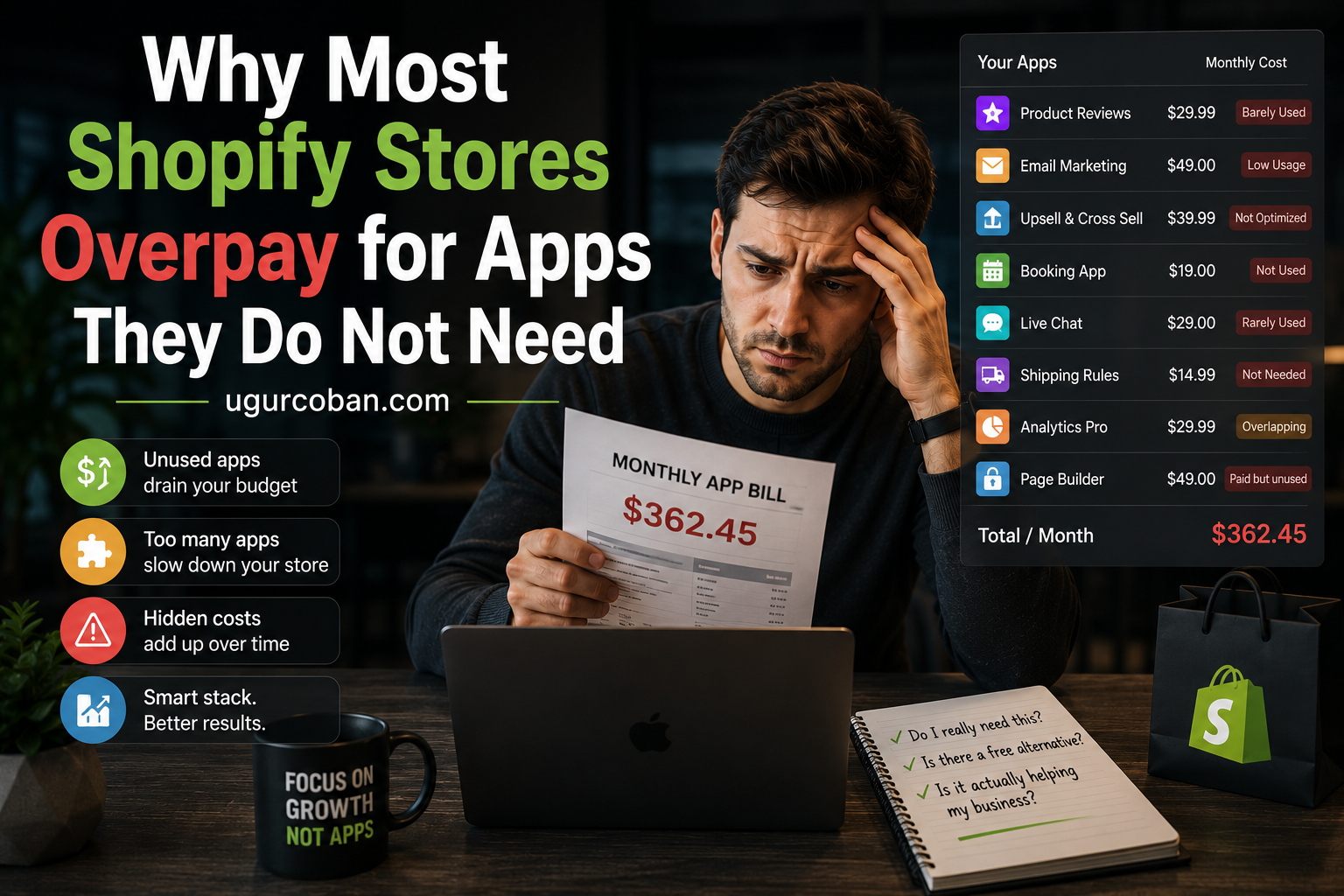
Twenty apps at thirty dollars a month is seven thousand dollars a year, and that is only the visible cost. The heavier price is paid in page load time, orphaned theme code, and customer data scattered across systems nobody owns. This breaks down where app spending actually goes and how to audit a stack that grew without anyone deciding it should.
The Shopify app ecosystem is one of the platform’s genuine strengths. It is also where a surprising share of ecommerce budgets quietly disappears. A store that has been running for two or three years typically carries a stack of fifteen to twenty five apps, most of which were installed to solve a specific problem at a specific moment, and many of which are still charging monthly for functionality nobody uses.
The cost is not just the subscription fees, though those add up faster than most operators realize. The deeper cost is in page performance, in the maintenance burden of overlapping tools, and in the data fragmentation that comes from having customer information scattered across a dozen third-party systems.
Here is where the money actually goes, and what separates a lean app stack from an expensive one.
How much is the average store actually spending?
The subscription number is easy to underestimate because it accumulates in small increments. A twenty dollar app here, a forty dollar app there, none of which feels significant on its own.
A store with twenty apps averaging thirty dollars a month is spending seven thousand two hundred dollars a year on app subscriptions alone. For many small and mid-sized stores, that is a meaningful line item that never gets reviewed because no single charge is large enough to trigger scrutiny.
The number also grows silently. Many apps price by usage tier, so a store that grows moves into higher pricing brackets automatically. The app that cost twenty dollars when it was installed may cost eighty now, and the increase happened without a decision being made.
The first useful exercise for any store is simply totaling the monthly app spend and looking at it as a single number. Most operators are surprised by the total, and the surprise is itself the signal that the stack has grown without oversight.
Which apps are the most common redundancies?
Certain categories accumulate duplicates more than others, usually because the functionality overlaps in ways that are not obvious at install time.
Email and marketing automation is the most common. A store might have a dedicated email platform, a separate popup and lead capture app, an abandoned cart app, and an SMS tool, with meaningful overlap between all four. Most modern email platforms include popups, abandoned cart flows, and SMS as native features, which makes three of the four redundant.
Reviews and social proof is another. Stores often run a review app alongside a separate trust badge app and a separate recent purchase notification app, when the review platform frequently includes the other two.
Upsell and cross-sell overlaps constantly. Product page upsells, cart upsells, and post-purchase upsells are often three separate apps when one platform handles all three placements.
Analytics is the quiet one. Stores accumulate reporting and dashboard apps that mostly restructure data already available in Shopify Analytics or GA4, adding a monthly cost for a different presentation of the same numbers. Before paying for a reporting layer, it is worth confirming that the underlying data and analytics setup is producing accurate numbers in the first place, because a dashboard built on flawed data is an expensive way to be confidently wrong.
What do apps cost beyond the subscription?
The subscription is the visible cost. The performance cost is larger and harder to see.
Most Shopify apps inject JavaScript into the storefront. Each script adds weight, adds requests, and adds execution time to the page load. A store running twenty apps can carry several hundred kilobytes of third-party JavaScript that has to download and execute before the page becomes interactive.
The relationship between page speed and conversion rate is well documented, and the effect is not linear. Each additional second of load time costs progressively more conversion, which means a store already loading slowly pays more for each additional script than a fast store would. The Shopify theme performance guidelines detail how third-party scripts affect the rendering path and what patterns minimize the damage.
There is also the maintenance cost. Apps modify theme files during installation, and uninstalling them does not always remove those modifications cleanly. Over time a store accumulates orphaned code from apps that are long gone, and this code can conflict with new installations in ways that are difficult to diagnose.
The compounding effect is that an over-installed store becomes slower, harder to modify, and more fragile, and each of these makes future changes more expensive.
Why do stores keep apps they no longer use?
The pattern is remarkably consistent. An app gets installed to handle a specific situation, the situation resolves or the team moves on, and the app stays because uninstalling it is nobody’s job.
Nobody owns the app stack. The marketing team installs marketing apps, the operations team installs fulfillment apps, and developers install technical apps. Each installation makes local sense, and no one has a view of the whole. The stack grows because growth requires only a decision to add, while reduction requires someone to notice and act.
There is also a reasonable fear of removal. An app that has been running for a year might be doing something important that nobody remembers configuring. Uninstalling it risks breaking something, and the risk feels larger than the monthly cost, so the app stays.
This fear is legitimate but it argues for careful auditing rather than for indefinite retention. The right response is to review what each app actually does and remove the ones that are genuinely unused, not to avoid the review because removal carries some risk. A platform migration is one of the rare moments when this review happens naturally, which is one reason migrating to Shopify tends to produce a leaner stack than the one it replaced.
What can be built into the theme instead?
A meaningful share of app functionality can be handled directly in the theme, particularly since Online Store 2.0 introduced a section-based architecture that makes theme customization more accessible.
Simple things like announcement bars, size charts, custom product tabs, trust badges, delivery estimate messaging, and low stock indicators are all frequently handled by apps when they could be a small amount of theme code. Each of these might cost ten to thirty dollars monthly as an app and nothing as a theme feature.
Metafields cover another large category. Custom product attributes, specification tables, care instructions, and similar structured content are often handled by apps when Shopify’s native metafields handle them without any third-party dependency or recurring cost.
The trade-off is real and worth stating honestly. Theme-based implementations require someone who can edit the theme, and they need maintenance when the theme is updated. The right question is not whether an app or theme code is better in the abstract, but whether the recurring cost and performance overhead of an app is justified by the convenience it provides for that specific feature.
For a feature that is set once and rarely changes, theme code usually wins. For a feature that needs frequent adjustment by non-technical staff, an app often earns its cost.
How do you audit an existing stack?
The audit is straightforward and most stores have never done it.
Start by listing every installed app with its monthly cost and the date it was installed. This alone reveals apps that have been running for years without review.
For each app, answer three questions. What specific function does it perform, who uses it, and when was it last actively used or configured. Apps that cannot be assigned a clear function and a clear user are candidates for removal.
Next, look for overlap. Group the apps by category and check whether multiple apps in the same category are doing similar work. Consolidating to a single platform in a category almost always reduces cost and simplifies the stack.
Then check the performance impact. Browser developer tools show which scripts load on a page and how long each takes. Apps that add significant weight for marginal value are the clearest removal candidates.
Finally, before removing anything, verify what data the app holds and whether that data can be exported. Some apps hold reviews, customer preferences, or configuration that would be lost on uninstall, and the export should happen before the removal.
What should the evaluation criteria be for new apps?
Preventing stack bloat is easier than reversing it, and a simple evaluation standard before installing catches most of the problems.
Ask whether the functionality exists natively in Shopify or in an app already installed. This single check eliminates a large share of unnecessary installations, because the answer is often yes and nobody checked.
Ask what data the app will own and whether it can be exported. An app that becomes the system of record for something important and does not offer clean export creates lock-in that gets more expensive the longer it runs.
Ask what it does to page performance. Any app that injects storefront scripts should be evaluated for its weight, and the value it provides should clearly justify the load it adds.
Ask what happens if the app disappears. Apps get discontinued, acquired, and repriced. An app that is load-bearing for core functionality is a dependency risk, and the fewer of those a store carries, the more resilient it is.
The Stack You Choose Is the Stack You Maintain
Every app is a small ongoing commitment. It costs money monthly, it costs milliseconds on every page load, it holds some slice of data, and it occupies some space in the mental model of how the store works. Individually each of these is trivial. Collectively, across twenty apps, they are the difference between a store that is fast and easy to change and a store that is slow and fragile.
The stores with the leanest stacks are not the ones that avoided apps. They are the ones that treated each installation as a decision with ongoing consequences rather than as a free solution to an immediate problem. That discipline is what keeps a stack useful rather than merely accumulated.
A single afternoon spent auditing the app stack typically pays for itself within a month, and the performance benefit compounds every day after that.