How to Track AI Assistant Traffic in GA4 (and What the New Channel Misses)
GA4 now has an AI Assistant channel, but a single ChatGPT visitor can still land in three different channels. What the channel counts, what it misses, and a setup that keeps AI traffic numbers honest.
In May 2026, Google Analytics 4 started doing something analysts had been doing by hand for two years: it gave AI referrals a channel of their own. Visits from assistants such as ChatGPT, Gemini and Copilot can now show up as AI Assistant in the default channel group instead of hiding inside Referral.
Five months later, a ChatGPT bug showed how much that channel depends on details outside your control. For about a week in October, ChatGPT links went out without a referrer and without their tracking parameter, and the visits landed in Direct. Nothing changed on anyone’s site. The traffic was still there. The label was gone.
The new channel is a useful first layer, but numbers you can defend also need a channel you control and a labeled estimate of what lands in Direct. This post covers what the channel counts, why one assistant can end up in three different channels, and the setup I recommend so your AI numbers hold up when someone asks where they came from.
AI platforms are still a small slice of most sites’ visits. Ahrefs’ benchmark of more than 115,000 sites put them at 0.43% of tracked traffic in September 2026, against roughly 27% from search engines. Small slices are exactly where misclassification does the most damage, because a few hundred mislabeled sessions can double or halve the trend you report.
What the AI Assistant Channel Actually Does
Google added the channel on May 13, 2026. When a session’s referrer matches Google’s list of recognized AI assistants, GA4 sets three values on it:
- Medium: ai-assistant
- Campaign: (ai-assistant)
- Default channel group: AI Assistant
Google has not published the full list. Its default channel group definitions name ChatGPT, Gemini, DeepSeek, Copilot and Grok as examples. Two details matter more than the examples.
First, the list belongs to Google, not to you. When Search Engine Journal reviewed the documentation in July, Claude, which Google named at launch, was no longer among the examples, and Perplexity traffic was still landing in Referral. A source that is not on the list usually stays in Referral, even when it is obviously an AI assistant.
Second, Google leaves its own AI features out. Clicks from AI Overviews and AI Mode count as Organic Search. That is defensible, since those clicks start on a Google results page, but it means the AI Assistant channel tells you nothing about them.
The channel also appears to classify sessions only from its rollout onward, so any year-over-year comparison that reaches back before mid-May mixes two different classification systems.
Why One Assistant Can Land in Three Channels
ChatGPT is the clearest case, because it sends the most AI referrals and it marks its links in two ways at once. Links in ChatGPT answers carry utm_source=chatgpt.com, and when the browser passes a referrer, that referrer is chatgpt.com too. Depending on which signals survive the click, the same visitor can end up in any of three channels:
- AI Assistant: the referrer arrives and matches Google’s list.
- Unassigned: the visit carries a source of chatgpt.com but no medium, so none of the default channel rules match it.
- Direct: neither the referrer nor the UTM parameter arrives. In-app browsers, privacy settings, links copied into a new tab and links opened with noreferrer all strip the referrer before GA4 sees anything.
The October incident was the third case at scale. Cedric Huesler of Adobe, who flagged it on LinkedIn, found that after the GPT-6 release ChatGPT opened outbound links with noopener and noreferrer and dropped the UTM tag. Across roughly 500 pages, he reported ChatGPT visits falling by about 31,000 a day while Direct rose by about 26,000 a day on the same pages. By October 15 the tags were back. OpenAI made no public announcement. The people watching the data were the ones who reported the fix.
If your October report shows AI traffic dipping and Direct rising in the same week, that is the likely reason. Add an annotation before anyone draws conclusions from it.
Build a Custom Channel Group That Counts Every AI Source
The fix for the first two cases is a channel that matches on source and ignores medium. GA4 lets a standard property keep two custom channel groups next to the default one (360 properties get five). Custom groups also apply to past data in reports, which solves the rollout date problem. The exceptions are audiences, which only pick up definition changes going forward, and expanded data sets, which keep the old definition.
Here is the setup:
- In Admin, open Data display, then Channel groups, and copy the default channel group so you keep every standard rule.
- Add a new channel named AI Sources.
- Give it one condition: Source matches regex, with the pattern below.
- Drag AI Sources above AI Assistant and Referral. The top of the list is safest. GA4 assigns each session to the first channel it matches, in list order, so the position of the channel does most of the work.
- Save, then open the Traffic acquisition report and switch it to your new group.
.*(chatgpt\.com|chat\.openai\.com|perplexity\.ai|gemini\.google\.com|copilot\.microsoft\.com|copilot\.com|claude\.ai|chat\.deepseek\.com|grok\.com|meta\.ai|chat\.mistral\.ai).*A few rules keep the pattern accurate:
- Match domains, not fragments. A bare “gpt” or “ai” will catch unrelated sources sooner or later.
- Escape the dots, and keep the leading and trailing .*, because GA4 regex conditions are full matches by default, so the pattern has to cover the whole source value.
- Review it every quarter. Filter the Referral rows for sources containing chat, ai or gpt, and add any real assistant you find.
Read AI Traffic by Source and Landing Page
A channel total is a headline. The useful view sits one level down. In an exploration, put Session source and Landing page as rows, with Sessions, Engaged sessions and Key events as values, filtered to the AI Sources channel. Three questions come out of that table quickly.
Which pages do assistants send people to? These are usually the pages an assistant retrieved while building its answer, the same retrieval step behind retrieval augmented generation. Treat them as your real AI landing pages and keep them current.
Do those visitors do anything? AI referrals often arrive with part of their question already answered, so engagement can look different from search. Compare them with organic visits to the same pages before you judge either.
Where do they leave? Run a path or funnel exploration segmented by the AI channel, then compare its drop-off points with those of organic visitors on the same pages.
Size the Data Discrepancy Hiding in Direct
No configuration recovers a visit that arrives with nothing attached, and this gap comes on top of the sessions browser-side tags already lose to blockers and privacy features. What you can do is estimate the AI share of Direct and label the estimate as one.
- Watch Direct on deep pages. People rarely type a long article URL by hand. A rise in Direct sessions to pages that also get AI referrals points to stripped referrers, especially when it lines up with a dip in tagged AI visits, as it did in October.
- Use a control group. Compare Direct on pages that receive AI referrals with Direct on pages that never do. If only the first group moves, you have your signal.
- Ask people. A short “How did you hear about us?” question on lead and checkout forms catches assistants that analytics cannot see. Self-reported answers are noisy, but they surface sources your tags never record.
Different web analytics tools will disagree on these numbers, for the same structural reasons I covered when aligning Similarweb with GA4. Report the tagged figure and the estimate side by side, and say which is which.
Where AI Overviews and AI Mode Show Up
Google’s own AI answers never reach the AI Assistant channel. GA4 files those clicks under Organic Search, and in Search Console they sit inside the overall Web search totals of the Performance report, not broken out.
What Search Console added this year is visibility, not clicks. Google introduced Search generative AI performance reports in June 2026 and had rolled them out to all sites by August 31. They show how often your pages appeared in AI Overviews, AI Mode and generative features in Discover, by page, country and date, with a device breakdown on the Search report. They do not show clicks, queries or position.
So the real picture for Google’s AI surfaces is two numbers from two places: impressions from the generative AI report, and clicks blended into organic. You can watch them move together. You cannot divide one by the other and call the result a click-through rate.
What This Means for Generative Engine Optimization Reporting
Reports on AI visibility often promise more precision than the data allows. A monthly generative engine optimization report that holds up uses three figures:
- Tracked AI sessions from your custom channel group, with the key events they produced.
- An estimated share of Direct that is likely AI, labeled as an estimate, with the method stated.
- AI impressions from Search Console’s generative AI report for Google’s own surfaces.
Tie the first figure to outcomes, not visits. A handful of AI sessions that become leads matters more than a spike in AI impressions nobody clicks. The content side of the work, building pages that assistants can retrieve and cite, is covered in optimizing for AI search engines and generative answers. This is the measurement side that tells you whether it worked.
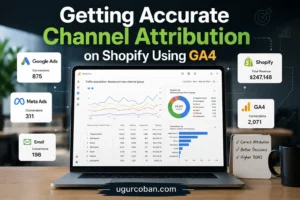
If your channels are already messy, fix that first. The UTM tracking and channel group habits in getting accurate channel attribution on Shopify using GA4 apply to AI sources as much as to paid ones.
A Monthly AI Traffic Check
Fifteen minutes once a month keeps the numbers trustworthy:
- Compare the AI Sources channel with the default AI Assistant channel. The gap is what Google’s list misses.
- Check Unassigned in your custom group for chatgpt.com or other AI sources. Rows there mean the regex missed a source value, usually a new domain or variant.
- Scan Referral for new assistant domains and add them to the regex.
- Look for Direct spikes on your top AI landing pages and annotate known incidents.
- Put the Search Console generative AI impressions for your key pages next to their organic clicks.
AI assistants will keep changing how they open links, and Google will keep editing its list. A channel you control, a source-level view and a clearly labeled estimate for the rest are what keep the report steady while that happens.